

Ring Doorbell & Camera: Low Battery Notifications and Saving Battery Life
Keeping your Ring Video Doorbell or Camera charged is essential for maintaining home security. The Ring app provides timely low battery notifications and valuable tips to extend battery life. This guide will explain how to understand these alerts and optimize your device’s battery performance.
Understanding Low Battery Notifications
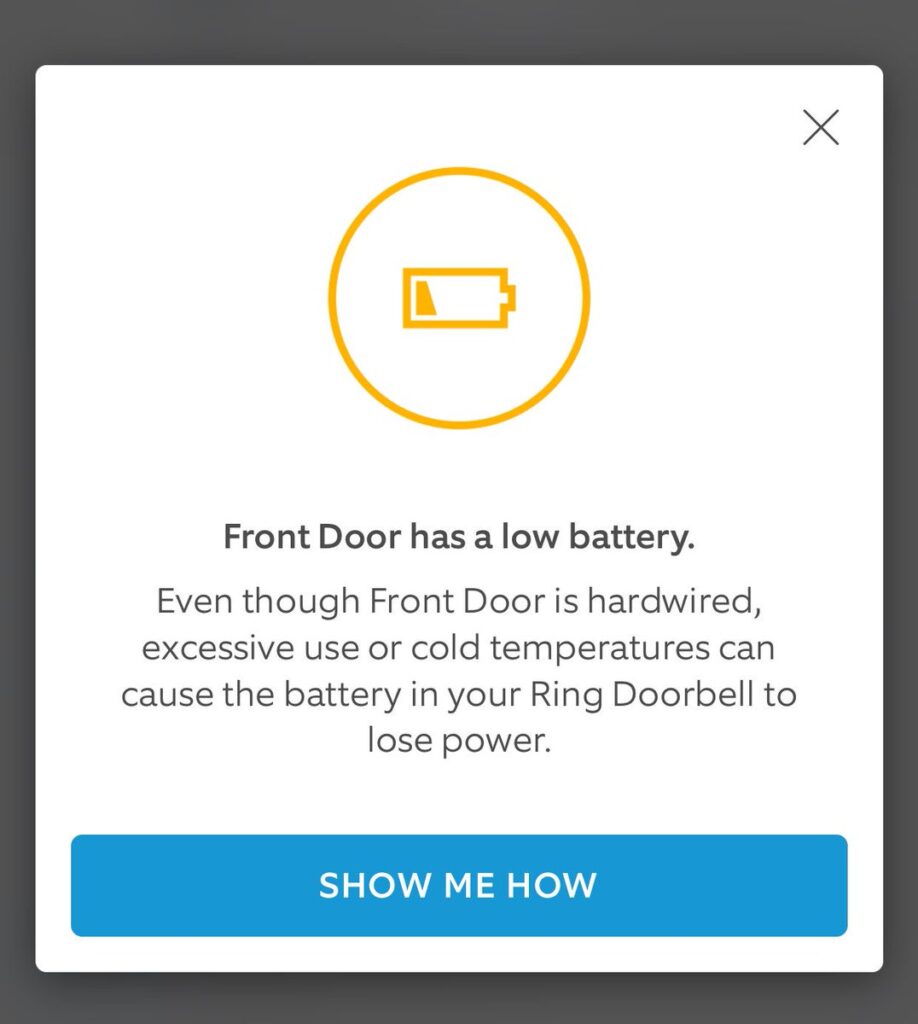
Your Ring app will alert you with a low battery notification when the charge on your battery-operated Ring doorbell or camera dips below 30%.
How Low Battery Alerts Appear
The Ring app displays the low battery notification in three ways:
- Push Notification: Similar to motion alerts, you’ll receive a message on your phone.
- Device Dashboard: A red “low battery” icon appears on your device’s dashboard within the Ring app.
- Event Timeline: A red dot on your event timeline expands to a “battery tip” when tapped.
Ring Doorbell Battery Tips: Conserve Battery Life
Tapping the low battery icon or the event timeline’s “battery tip” opens a screen highlighting features draining the most battery. Here, you can adjust these settings to extend battery life:
- Snapshot Capture: Reduce how often your device captures snapshots.
- Motion Frequency: Lower motion detection sensitivity.
- Advanced Motion Detection: Fine-tune these settings for optimal battery usage.
By understanding low battery notifications and utilizing the contextual battery tips, you can ensure your Ring doorbell or camera stays operational and effectively safeguards your home.
The Best Price On Ring.com DoorBell Replacements & Parts – Click Here To Learn More
How to Replace the Battery in a Ring Video Doorbell
Step-by-Step Battery Replacement
1. Remove the Faceplate:
- Use the provided screwdriver to take out the security screws at the bottom of your Ring Doorbell.
- Slide off the faceplate to access the battery compartment. Be gentle to avoid damaging any components.
2. Remove the Battery:
- After removing the faceplate, you’ll see the battery compartment, usually located near the bottom.
- Gently press the release tab (usually on the side) and slide out the battery. Note the battery’s orientation for reinstallation.
3. Recharge the Battery:
- Connect the micro-USB charger to the battery’s charging port. You can use any standard USB charger or a computer’s USB port.
- During charging, both the red and green lights will illuminate. Red indicates charging, while green means the battery is fully charged.
4. Return the Battery/Replace It:
- Once the battery is fully charged, slide it back into the compartment. Ensure it clicks securely into place.
- If you’re replacing the battery with a new one, follow the same steps. Ensure the new battery is compatible with your Ring Doorbell model.
5. Reattach the Faceplate:
- Align the faceplate with the doorbell unit. The faceplate usually has alignment guides.
- Secure it by tightening the security screws. Don’t overtighten; just ensure they’re snug.
Choosing Replacement Batteries (Replacement Ring Battery Costs – Click Here)
When purchasing replacement batteries for your Ring Video Doorbell, consider the following:
- Compatibility: Ensure the battery is compatible with your specific Ring Doorbell model (e.g., Ring Video Doorbell Gen 1, Ring Video Doorbell 3, etc.).
- Capacity: Look for batteries with a similar or higher capacity (measured in milliampere-hours, mAh) than the original battery. Higher capacity means longer usage between charges.
- Quality: Opt for reputable brands or genuine Ring replacement batteries. Avoid cheap knock-offs, as they may not perform well or last as long.
- Reviews: Check customer reviews on Amazon or other online retailers to gauge battery performance and reliability.
Regular battery maintenance ensures your Ring Video Doorbell functions optimally. If you encounter any issues, consult the official Ring support documentation or reach out to their customer service. Keeping your Ring doorbell or camera charged is key to maintaining your home security. Happy doorbell maintenance!
Typical Ring.com Doorbell Low Battery Notifications seen below and what to expect to view on your Ring.com App.

1 thought on “Ring Video Doorbell Battery Replacement Guide: Simple Steps and Tips”